@narasslabone на ютубе есть возможность не показывать видео в ленте при публикации, и я уже оставляю для ленты почти только вры, просто публикую всё это позже. За просмотры волноваться не стоит, мы денег с канала всё равно не имеем

@EnriqueMurcielago gg

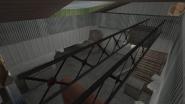
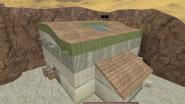
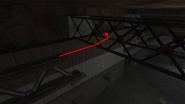
EnriqueMurcielago - Машина, первый на kz-rush осилил vLy_nantu2_d с 10аа!!!

@TyIIIkA Да и в принципе, зачем вообще делать поблажку, если идея заключается в том, чтобы сделать самую сложную карту в мире, которую пройдут только упертые единицы? Это убивает концепцию
@TyIIIkA Понимаешь тушка, сложные карты делаются совсем по другому нежели легкие, оперируя числами я могу создать только примитивные блоки по типу 255 lj или 240 sbj, например. Все остальные интересные и техничные блоки (какие-нибудь интересные завороты за угол или какие-то слайды) делаются чисто на глаз, ты постоянно двигаешь туда сюда блок на 1 юнит и тестируешь пока не нащупаешь то что нужно, а делая настолько сложную карту невозможно на 100% знать берется ли этот блок вообще и ты в надежде тратишь кучу времени на тесты в постоянных сомнениях. На это может понадобится 500 минут, 1000 минут или даже больше - только на один блок, а с моим скиллом у меня уйдет на это в 10 раз больше времени, поэтому нужно много тестеров и желательно сильных как например outside или topoviygus

@EnriqueMurcielago Да не, просто тебе надо начать оперировать числами, да и все. И делать поблажку на скилл 5%-10%, да и то, 10% думаю много уже будет.
@TyIIIkA есть влажные фантазии по поводу этого, но если делать самую сложную карту, то она должна быть еще в 2-3 раза сложнее, но чтобы сделать такую карту нужно очень много человек и тесты могут занять не тысячи а десятки тысяч минут, но в ру коммьюнити никто в этом не заинтересован, и поэтому делать в соло это сумасшествие
@EnriqueMurcielago Стоит ли ждать от тебя подобной карты когда ты освоил такие сложные прыжки ? =)
73 hours damn, gj
@PluDiko он уже прошел больше половины, надеюсь что в скором времени дожмет мапу

 Xtreme-Jumps)